Home screen, June 2019: folders named after verbs
The idea behind this one is to sort apps by what I do with them, not by what they are. Four folders across the top row, Make, Learn, Fix and Play, hold everything I open now and then, and the apps I use every day sit loose on the grid below, one tap away.
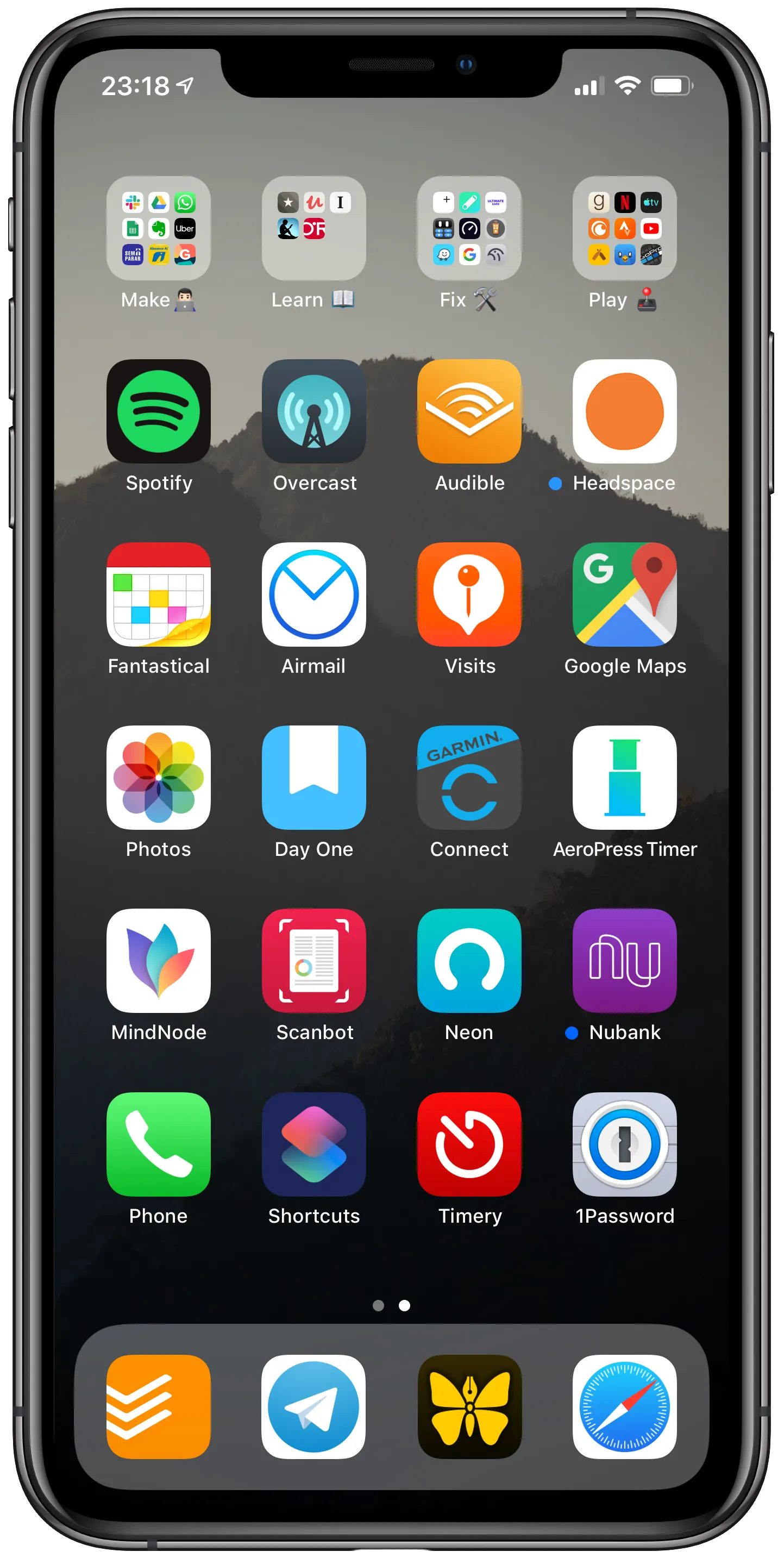
I’m starting a new section in my journal: a notebook to document my home screens and how they change over time. The nice part is that I also get a history of all my layouts, so if I ever regret a change and want to go back to an older version, I have a kind of backup right here 🤓
Apps
Folders
- Make: Slack, Google Drive, WhatsApp, Google Sheets, Evernote, Uber, Sem Parar, Abastece Aí
- Learn: Reeder, Udemy, Instapaper, Kindle, O’Reilly
- Fix: Ultimate Ears, Speedtest, Waze, Google and a few utilities I can’t identify anymore
- Play: Goodreads, Netflix, Apple TV, Crunchyroll, Strava, YouTube, Tweetbot, GoPro
On the grid
- Music, podcasts and audiobooks: Spotify, Overcast, Audible
- Health and fitness: Headspace, Garmin Connect, AeroPress Timer
- Productivity: Todoist, Fantastical, Airmail, MindNode, Scanbot, Shortcuts, Timery
- Writing: Day One, Ulysses
- Maps and places: Google Maps, Visits
- Finance: Nubank, Neon
- Communication: Phone, Telegram
- Photos: Photos
- Utilities: 1Password, Safari
- Dock: Todoist, Telegram, Ulysses, Safari
Filed under Essays — 2019-06-11← Index