iPad Pro home screen, May 2020
My first week with an iPad Pro, set up to work: the Today View pinned on the left with my tasks and the weather, reading and writing apps on the grid, the rest tucked into four themed folders, and the work tools in the dock.
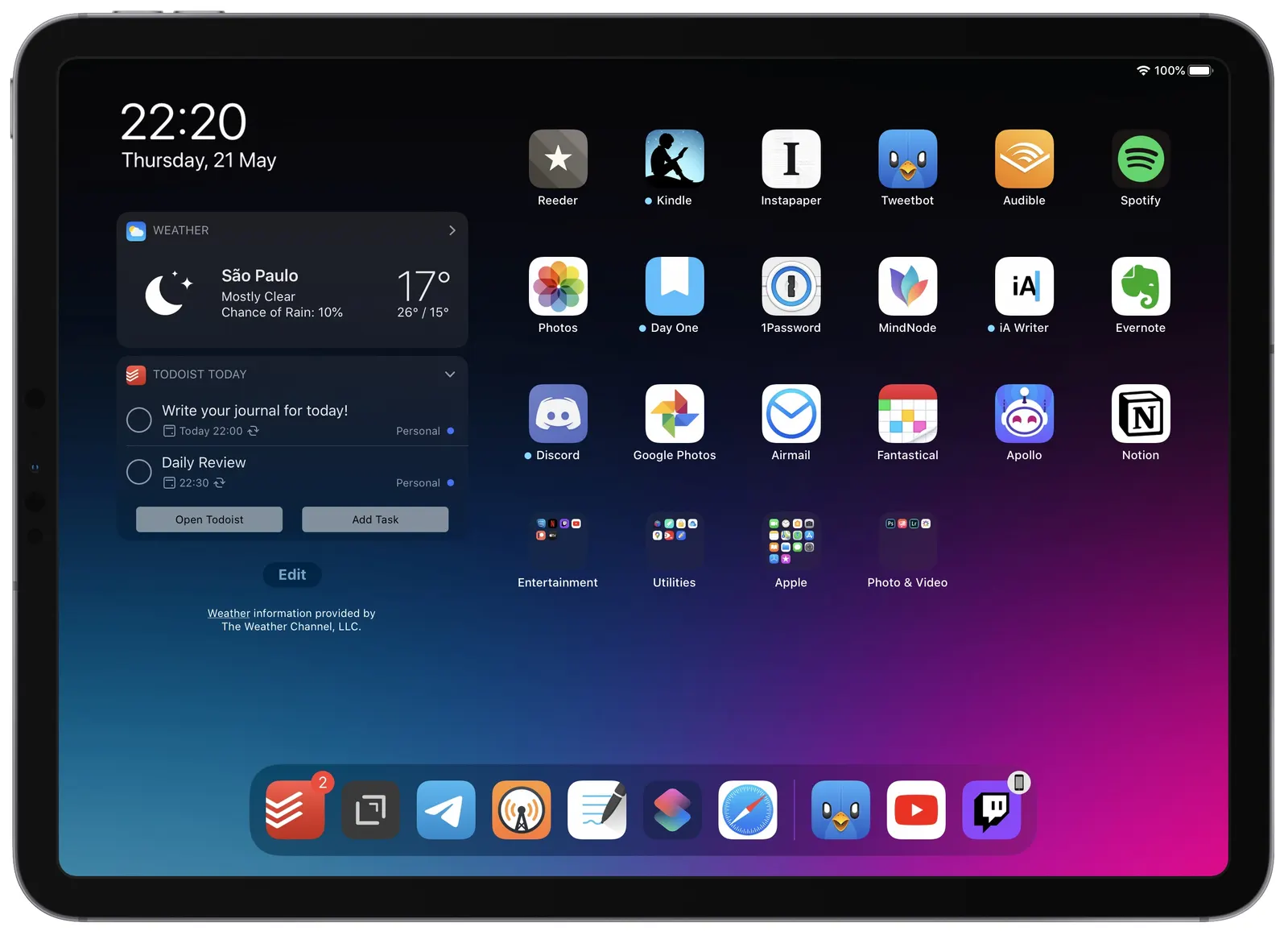
The first “productive” version of the home screen on my new iPad Pro. I’ll admit I’m not happy with this setup yet, but it’s the organization I’m using in this first week. I’ll adapt it as my use of the device evolves 🙂
Apps
- Widgets: Weather, Todoist
- Reading: Reeder, Kindle, Instapaper
- Music, podcasts and audiobooks: Audible, Spotify, Overcast
- Notes and writing: Day One, MindNode, iA Writer, Evernote, Notion, GoodNotes
- Productivity: Todoist, Fantastical, Shortcuts
- Social and messaging: Tweetbot, Apollo, Discord, Airmail, Telegram
- Photos: Photos, Google Photos
- Utilities: 1Password, Safari
- Entertainment folder: Prime Video, Netflix, Twitch, YouTube, Patreon, Apple TV
- Utilities folder: Google Maps and a handful of tools
- Apple folder: FaceTime, Clock, Home, Camera, Notes, Maps, Find My, App Store, Books, Files, Messages, Settings
- Photo & Video folder: Photoshop, Lightroom and two editors
- Dock: Todoist, Telegram, Overcast, Shortcuts, Safari
Filed under Essays — 2020-05-21← Index