Home screen, September 2022: my first iOS 16 Lock Screen
iOS 16 makes the Lock Screen customizable, and the minimal widgets click for me there in a way they never did on the home screen. So the information moves to the Lock Screen and the home screen stays icons only, on plain black.
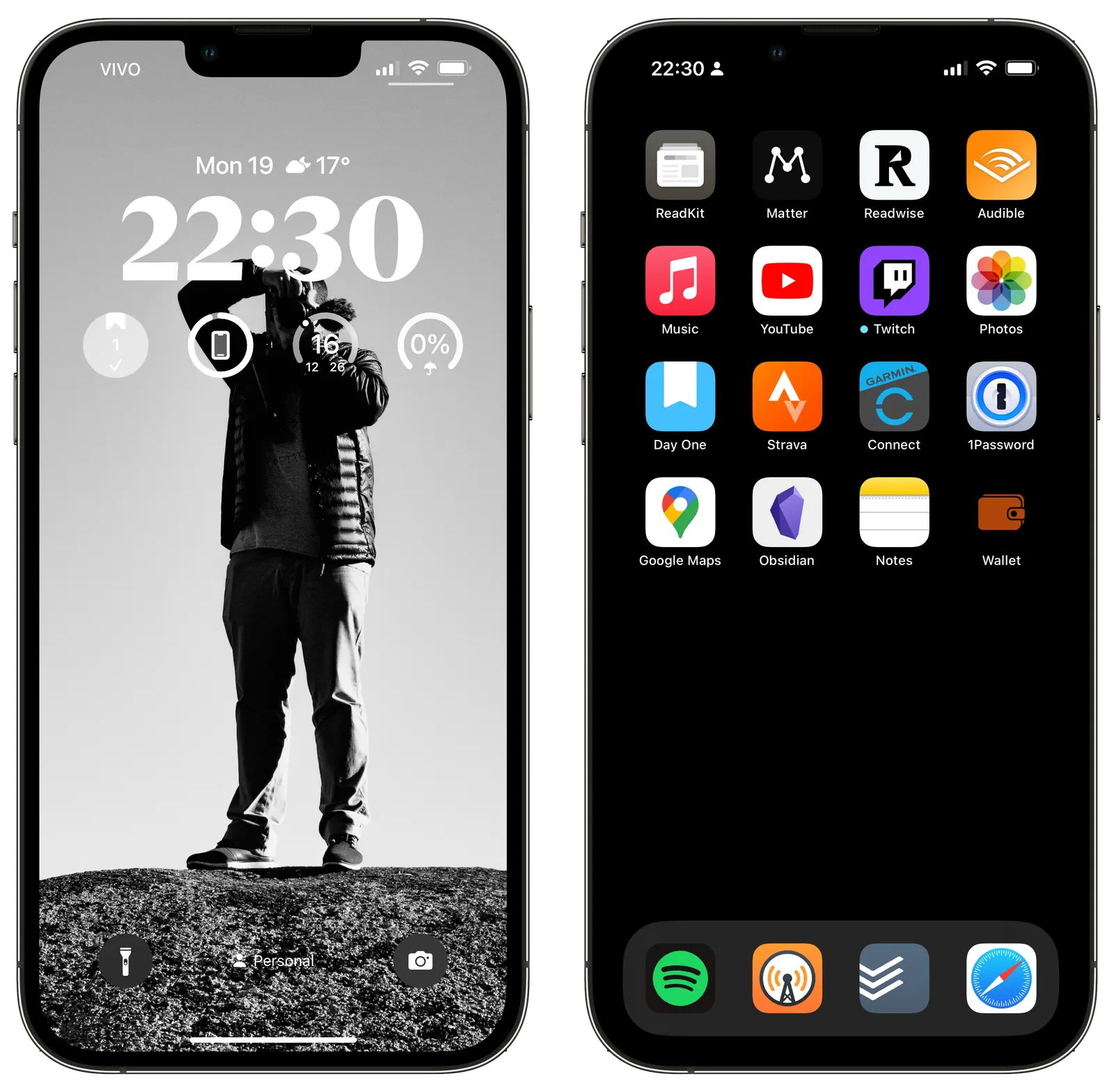
My first real Lock Screen customization in iOS 16, together with my current home screen. I liked the minimal widgets on the Lock Screen, even though I can’t get used to them on the home screen. My next steps are to build different Focus modes and create screens for each one.
Apps
- Lock Screen widgets: Batteries, Weather and a streak counter
- Reading and read-later: ReadKit, Matter, Readwise
- Music, podcasts and audiobooks: Spotify, Overcast, Music, Audible
- Video: YouTube, Twitch
- Notes and journaling: Day One, Obsidian, Notes
- Health and fitness: Strava, Garmin Connect
- Photos and maps: Photos, Google Maps
- Utilities: 1Password, Wallet, Safari
- Dock: Spotify, Overcast, Todoist, Safari
Filed under Essays — 2022-09-19← Index